What Is a POS System? A Simple Guide for Pakistani Shop Owners
Confused by retail software? Discover what a point of sale (POS) system does, how it replaces paper khata books, and what Pakistani shop owners must verify before choosing one.
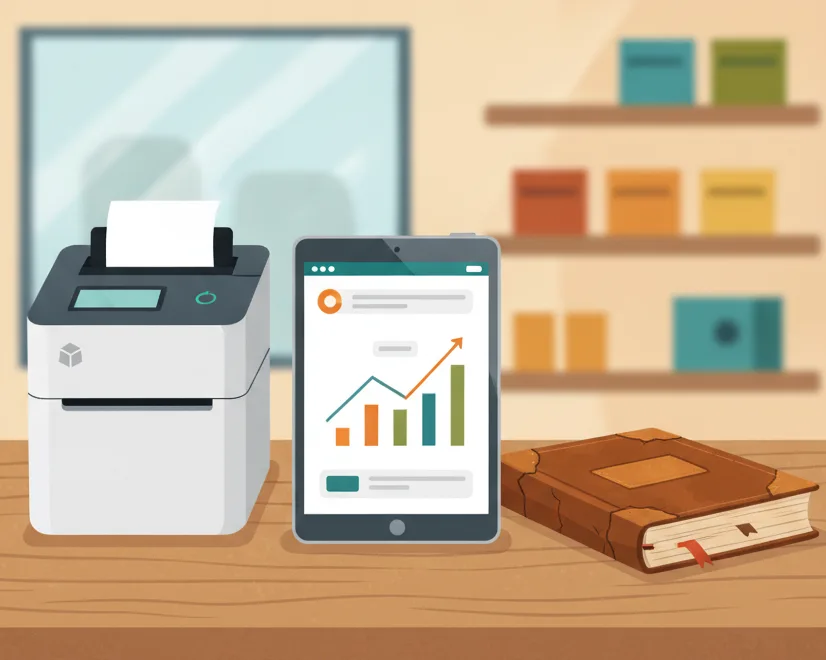
Every evening across Pakistan, from busy wholesale alleys in Lahore’s Shah Alam Market to neighborhood retail strips in Karachi and Rawalpindi, a familiar routine takes place. Shopkeepers pull down their metal shutters, flip on a desk lamp, and reach for a worn-out paper register. Alongside a pocket calculator and a drawer full of crumpled cash notes, they spend hours deciphering scribbled figures, tracking who paid what, and guessing how much stock remains on the shelves.
For decades, this manual method—the traditional khata book combined with mental math—was simply how small retail worked. But as product varieties expand, customer expectations rise, and daily transactions accelerate, manual record-keeping quickly turns into a bottleneck. This is where a POS system enters the picture.
If you have heard other retailers talk about point of sale systems but wondered whether your shop actually needs one, this guide breaks down exactly what a POS system is, how it transforms your daily routine, and what features you should demand before putting one behind your counter.
What Does "POS" Actually Mean in a Retail Shop?
POS stands for Point of Sale. At its most basic definition, the point of sale is the exact physical spot where a customer hands over money in exchange for your goods or services—typically your cash counter.
However, when modern retailers refer to a "POS system," they are talking about the combination of software and hardware that manages that entire transaction. Instead of treating checkout as an isolated event scribbled on a paper receipt, a POS system links your sales counter directly to your warehouse, your customer records, and your daily financial accounts.
A complete point of sale setup consists of two essential components:
- The Software: The digital engine that runs on a computer, laptop, tablet, or mobile phone. It manages your product catalog, calculates prices and discounts, tracks item quantities, logs customer balances, and generates profit and loss reports.
- The Hardware: The physical tools connected to the software. This generally includes a screen (computer monitor or mobile screen), a barcode scanner to read product labels quickly, a thermal receipt printer, and often a cash drawer that opens when a transaction completes.
When an item is scanned at the counter, the POS software instantly recognizes the price, prints a legible receipt, subtracts that unit from your stock count, and records the cash collected—all in a fraction of a second.
How a POS System Replaces Cash Registers and Khata Books
Many shop owners hesitate to move away from paper because the traditional khata has worked for generations. Yet paper registers hide several silent operational leaks that drain profits every single month. Here is how digital point of sale software systematically replaces outdated counter tools.
1. Replacing the Paper Khata with Digital Customer Ledgers
In Pakistan, offering customer credit (udhaar) is often necessary to build loyalty with regular neighborhood families. But recording credit on loose paper slips or in bulky notebooks frequently leads to forgotten balances, misplaced pages, and awkward disagreements at the end of the month.
A POS system replaces the paper khata with a centralized digital customer profile. Every time a regular customer takes goods on credit, the transaction is logged under their name with a date stamp and itemized list. When they come in to clear part of their balance, the payment is recorded immediately, updating their outstanding balance in real time. Receipts can be issued on the spot, eliminating confusion and protecting your business relationships.
2. Eliminating Mental Math and Manual Cash Registers
During evening peak hours, rush-hour crowds place tremendous pressure on counter staff. Rushing through calculations on a pocket calculator or relying on memory easily results in miscalculated change, unrecorded discounts, or undercharging for items with updated wholesale prices.
A POS system handles all calculations automatically. The moment a barcode is scanned, the correct current price is pulled from your database. The system calculates sub-totals, applies any pre-set promotional discounts, tallies the total, and clearly shows the exact change due. This dramatically speeds up counter queues while ensuring not a single rupee is lost to arithmetic errors.
3. Ending "Ghost Stockouts" and Inventory Guesswork
With paper systems, you usually find out an item is out of stock only when a customer asks for it and your salesman searches an empty shelf. Worse, items that sit unsold in back corners gather dust without you realizing your working capital is tied up in dead inventory.
A modern POS deducts inventory automatically with every sale. It gives you a live dashboard showing exactly how many units of every single SKU (stock keeping unit) remain in your shop. When stock runs low, the system flags the product so you can reorder from your distributor before your shelf runs dry.
A good POS system does not just speed up customer checkout; it acts as a silent business partner that monitors cash flow, tracks stock levels, and prevents internal discrepancies around the clock.
What Every Shop in Pakistan Must Expect from a POS System
Not every POS system on the global market is built to handle the everyday operational realities of running a business in Pakistan. Before you invest time or money into software, make sure it meets these non-negotiable requirements:
- Uninterrupted Offline Functionality: Internet disconnects, fiber cuts, and network downtime happen regularly. Your checkout counter cannot grind to a halt just because broadband is temporarily offline. A practical POS must allow you to continue scanning items and printing receipts offline, storing records locally and syncing automatically once the connection returns.
- Fast Thermal Printer & Barcode Compatibility: A checkout system is only as fast as its hardware integration. The software should easily pair with standard 58mm or 80mm thermal receipt printers and standard USB or wireless barcode scanners without requiring expensive proprietary drivers.
- Clear Role Permissions for Staff: If you employ salesmen, cashiers, or store helpers, you need to control what they can see and modify. Your POS should allow you to restrict sensitive business data—such as supplier purchase prices, overall net margins, or expense ledgers—so staff can only process sales without altering historical records.
- Supplier and Purchase Tracking: Managing suppliers is just as critical as managing buyers. The system should allow you to log incoming inventory shipments, record supplier purchase invoices, and monitor what you owe to wholesale distributors.
- Simple, Intuitive Interface: You should not need a degree in computer science to run your counter. If your counter staff requires weeks of technical training just to punch in an order, the software will create frustration rather than efficiency. Look for a clean interface that can be learned in minutes.
- Multi-Branch Expansion Potential: Even if you operate a single counter today, your software should be capable of growing with you. If you decide to open a second branch or a separate storage warehouse across town, the system should allow you to view both locations from a single dashboard.
Hardware Needs: Do You Need an Expensive Setup?
A common misconception among Pakistani shopkeepers is that adopting POS software requires spending tens of thousands of rupees on bulky, imported touchscreen terminals. In reality, modern cloud-ready POS solutions are lightweight and flexible.
Most retail stores can launch a fully functional point of sale counter using hardware they already own:
- Existing PC or Laptop: Any standard desktop computer or laptop capable of running a modern web browser is sufficient for daily billing and inventory management.
- Mobile Phones and Tablets: Many shop owners prefer managing smaller counters or checking daily performance directly from an Android smartphone or tablet.
- Standard Barcode Scanner: Basic USB handheld laser scanners are widely available locally at low cost and plug straight into your computer.
- Thermal Receipt Printer: Affordable desktop thermal printers that require no ink or toner cartridges keep ongoing printing costs minimal.
You do not need to overhaul your entire store layout or spend heavily on specialized machinery to modernize your billing counter.
How CPOS Helps Pakistani Retailers Modernize
Selecting software built with local retail conditions in mind saves shop owners countless hours of trial and error. CPOS provides a purpose-built point of sale platform designed specifically for businesses across Pakistan, whether you operate a grocery store, garments shop, medical store, hardware outlet, bakery, or mobile shop.
Here is how CPOS addresses the core needs of local counters:
- Starter Plan is 100% Free: For small businesses taking their first steps away from paper registers, the CPOS Starter plan is free to use. It supports up to 100 sales per day, up to 1,000 product SKUs, 1 warehouse or branch, and includes 1 desktop user alongside 1 web user.
- Robust Offline Mode: If your internet drops during a busy sales rush, CPOS offline mode lets you keep billing customers and printing receipts on supported thermal printers without interruption. All sales data is stored locally and syncs automatically to the cloud once connectivity resumes.
- Smart Billing and Fast Barcodes: Scan items, issue instant invoices, and speed up counter queues during evening rush hours with minimal effort.
- Real-Time Stock Alerts: Track your inventory on a live dashboard and receive automated low-stock notifications so you always replenish fast-moving items on time.
- Mobile App Monitoring: Check daily sales figures, track store performance, receive low-stock alerts, and monitor team activities directly from your smartphone while away from the shop.
- Transparent Upgrade Paths: As your product catalog expands, affordable paid plans like the Basic plan (Rs 1,850/month for up to 3,000 SKUs) and Standard plan (Rs 3,900/month for unlimited SKUs and multi-user support) offer a 14-day free trial with no lock-in.
Moving Your Counter into the Modern Era
Sticking to manual slips, calculators, and handwritten khata books might feel familiar, but it quietly costs your business hours of wasted administrative time, unrecorded inventory losses, and counter delays every week. A point of sale system is no longer a luxury reserved for massive supermarket chains—it is a practical, everyday utility that protects your profit margins and gives you back your evenings.
Setting up digital billing does not have to be complicated, disruptive, or expensive. You can take your shop's operations into your own hands today—explore how simple counter management can be and start with CPOS free to see the difference on your own counter.
===CONTENT===