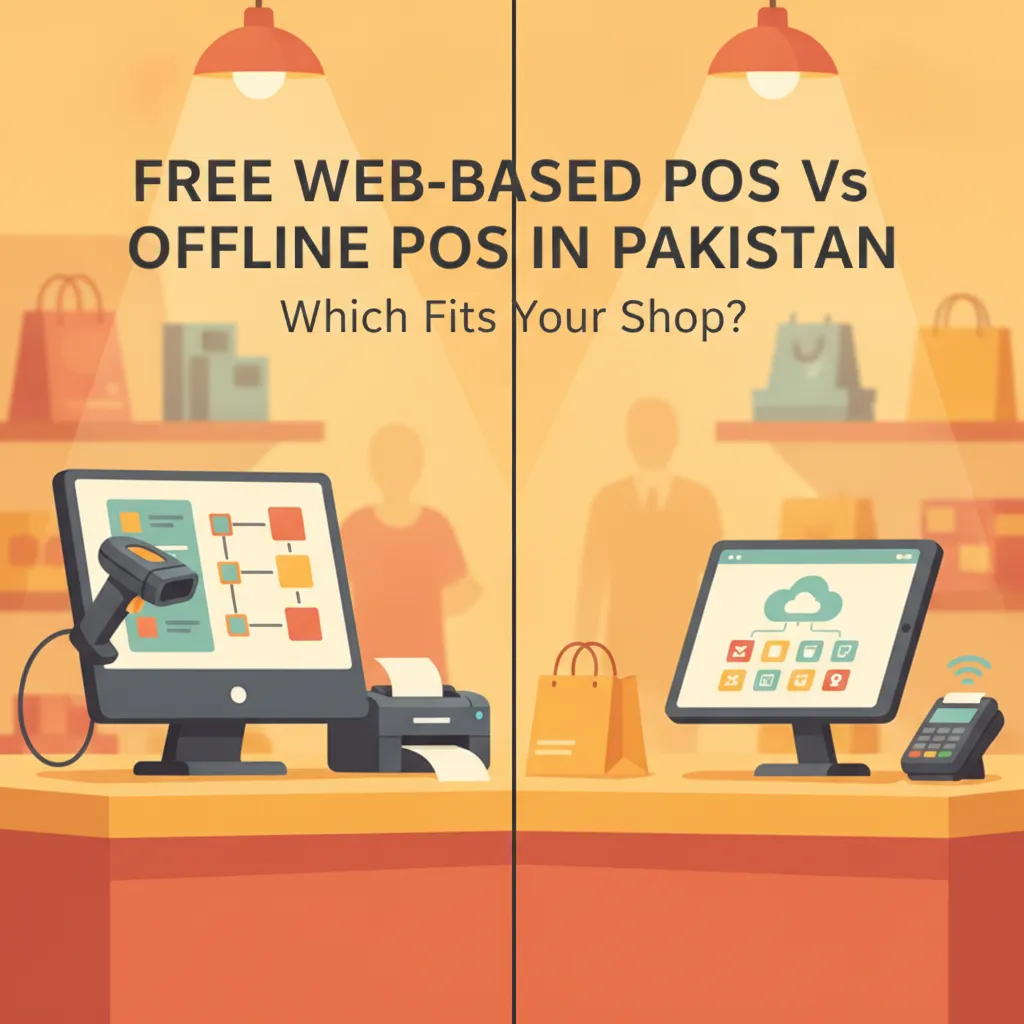
Free Web-Based POS vs Offline POS in Pakistan: Which Fits Your Shop?
Compare web-based and offline POS software in Pakistan across cost, internet dependency, checkout speed, and data control to find the right fit for your retail counter.
Picture this scenario: It is 8:30 PM on a Saturday in a busy retail market like Saddar in Karachi or Anarkali in Lahore. Customers are waiting in line at your cash counter holding garments, groceries, or replacement mobile accessories. Suddenly, your broadband router begins flashing red, or local mobile data slows to a crawl. If your point-of-sale system runs strictly inside a web browser, your checkout counter grinds to an immediate halt. If your system runs entirely offline on a clunky desktop hard drive, your counter keeps moving, but you have no visibility into sales, inventory, or till balances once you leave the shop floor.
Every Pakistani retailer modernising their billing counter eventually faces this dilemma: Free web-based POS vs offline POS in Pakistan: which fits your shop? Choosing the wrong architecture leads to either lost sales during frequent network outages or costly software traps that restrict your ability to monitor your business remotely. To make an informed, cost-effective decision, you must evaluate both models across four critical dimensions: internet dependency, checkout speed, overall cost, and data control.
Understanding the Core Difference
Before weighing pros and cons, it helps to understand what distinguishes these two operating architectures:
- Web-Based (Cloud) POS: Runs in an internet browser or lightweight web application. Data is saved directly to remote cloud servers. You can check sales, inventory, and profit reports from any phone, laptop, or home computer in real time, but traditional cloud tools demand an active, uninterrupted internet connection.
- Offline (Desktop-Based) POS: Installed directly on local computer hardware running Windows. All transactions, customer records, and product catalogues reside on that single machine's local hard drive. It works completely without internet, but your records stay locked inside that physical computer.
1. Internet Dependency and Local Connectivity Realities
When selecting retail software in Pakistan, internet reliability is not a theoretical concern—it is a daily operational risk. Across urban centres and commercial hubs, retailers frequently navigate fiber cuts, PTCL line disruptions, and nationwide mobile bandwidth throttling. A 2024 telecom study reported in Dawn's business analysis highlighted that recurring internet instability cost Pakistan's private sector an estimated $1.6 billion in disruptions, forcing businesses to rely on multiple fallback connections. In commercial markets, unexpected network shutdowns can stall walk-in transactions instantly.
If your retail business relies on a pure, web-only POS system with no local caching, an internet cutoff paralyzes your counter. Barcode scans stop registering, receipts cannot print, and cashiers are forced to revert to manual paper receipts (parchi), which invites inventory mismatches and billing errors.
Offline desktop systems win outright on basic connectivity: they do not care whether your internet router is online, whether your 4G SIM hotspot has credit, or whether undersea fiber cables are undergoing maintenance. However, pure offline systems leave you completely blind if you manage multiple counters or want to monitor cash drawer reconciliations while away from the shop.
2. Counter Speed and Barcode Scanning Latency
Checkout velocity directly affects customer satisfaction. In high-turnover environments—such as grocery stores, bakeries, and busy pharmacies—every millisecond matters. If a cashier scans a barcode and waits two seconds for a remote server response, queue lines spill out the door.
- Offline Desktop Systems: Retrieve product records instantly from the local database on your hard drive. Barcode processing is instantaneous, and thermal receipt printers fire the moment the cashier strikes the enter key.
- Pure Web-Based Systems: Require each product query or invoice closure to communicate with a remote server over HTTP. On high-speed fiber, this delay is negligible; on congested mobile data or unstable DSL, each scan can lag, causing cashier frustration and checkout friction.
If your shop processes more than 100 fast-paced customer checkouts per hour, an architecture that processes bills locally at the terminal will always outperform a purely browser-dependent tool.
3. Cost Structure: Free Web Apps vs Offline Licenses
Shop owners often compare prices superficially, but the total cost of ownership (TCO) between web and offline systems looks very different over a three-year period:
| Factor | Free Web-Based POS | Traditional Offline Desktop POS |
|---|---|---|
| Upfront Software Cost | Zero initial purchase price on free tiers. | High upfront license fees (often Rs 25,000 to Rs 60,000 per terminal). |
| Hardware Requirements | Runs on any existing laptop, tablet, or office PC. | Specific Windows desktop specs, dedicated serial ports, local server hubs. |
| Maintenance & Updates | Handled in the cloud automatically without technician visits. | Paid technician visits, manual file patches, annual maintenance charges (AMC). |
| Multi-Device Access | View reports on mobile or home laptop included. | Locked to the physical shop computer; networking requires complex local setups. |
While an offline system feels like a "one-time payment," retailers frequently spend thousands of rupees on IT technicians whenever Windows updates break printer drivers or database files become corrupted. Conversely, free web tools eliminate upfront license shocks, letting new shops launch without burning working capital.
4. Data Control, Disaster Recovery, and Internal Theft
Who controls your store's data, and what happens if something goes wrong? This is where many shopkeepers experience costly surprises.
The Hidden Risk of Offline Systems
In a purely offline desktop setup, all your sales history, supplier balances (khata), and inventory counts sit on an internal hard drive. If your computer suffers a power surge during load shedding, catches a virus via an infected USB drive, or suffers a hard drive crash, your entire business history disappears overnight. Unless you religiously copy database backups to an external hard drive every evening, offline systems present an acute risk of catastrophic data loss. Furthermore, cashiers with local database access can manipulate records or clear sales logs if your permissions are improperly configured.
The Cloud Advantage
Web-based systems eliminate the hardware-failure trap. If your billing computer dies, you simply sign into your account from another PC or smartphone and continue business as usual. Backups happen automatically on secure, encrypted remote servers. You also enjoy granular user permissions: cashiers can scan products and take cash, but they cannot delete bills, view supplier profit margins, or alter ledger entries.
Checklist: Which System Architecture Fits Your Shop?
Use this practical checklist to evaluate your operational reality:
- Choose an Offline POS if:
- Your retail counter is in a basement market or rural hub with zero reliable mobile data or broadband.
- You run a single till where the shop owner is physically present 100% of operating hours.
- You do not need to monitor sales, inventory alerts, or daily profits remotely from a mobile phone.
- Choose a Web-Based POS if:
- You operate with tight capital and want to avoid heavy upfront software licensing fees.
- You need to track sales, profit margins, and expenses remotely while away from the shop floor.
- You manage multiple branches or warehouses and need consolidated stock numbers.
- You cannot afford to lose your inventory and credit ledgers to a sudden hard drive crash.
The Ideal Middle Ground: How CPOS Solves the Retail Dilemma
Pakistani retail demands a system that does not force you to compromise between offline speed and cloud intelligence. That is why modern retailers are adopting hybrid POS systems designed to handle local infrastructure challenges without sacrificing convenience.
CPOS (https://cpos.pk) brings together the advantages of both architectures. Positioned as free POS software for small businesses in Pakistan, it features:
- Robust Offline Mode: When your shop's internet goes down, CPOS keeps running smoothly. Cashiers can continue barcode billing without interruption, and receipts print seamlessly on supported thermal printers. Your transaction data is stored locally on the device.
- Automatic Cloud Sync and Cloud Backups: The moment internet connectivity returns, CPOS automatically syncs local offline sales to your cloud dashboard. Automatic cloud backups protect you against hard drive crashes and hardware theft.
- Multi-Store & Remote Monitoring: Check sales reports, profit metrics, and low-stock alerts from your home or on the road using your web dashboard or the CPOS mobile app.
- Security and User Permissions: Assign distinct roles and permissions to sales staff with secure logins and encrypted storage, preventing unauthorized discounts or bill tampering.
- Accessible Pricing Tiers: Small shops can start on the Starter Plan (Free), which accommodates up to 100 sales per day, up to 1,000 product SKUs, 1 warehouse or branch, 1 desktop and 1 web user (with a CPOS watermark on printed receipts). Growing retailers can upgrade seamlessly to the Basic Plan at Rs 1,850 per month (up to 3,000 SKUs, watermark removed) or the Standard Plan at Rs 3,900 per month (unlimited SKUs, 3 desktop users and 1 web user). Paid plans include a 14-day free trial, and yearly billing saves 10%.
Making the Right Call for Your Counter
Relying on a pure offline POS leaves your business vulnerable to hardware crashes and restricts your growth. On the other hand, trusting a 100% browser-only system without offline resilience leaves you at the mercy of unpredictable network drops. For Pakistani retail environments, a hybrid point-of-sale platform that stores data locally during outages and syncs automatically to the cloud provides the best balance of speed, cost efficiency, and remote oversight.
Ready to upgrade your billing counter without large upfront software fees? Explore how easy it is to keep your checkout running both online and offline—start with CPOS free today and test the system on your own shop counter.